
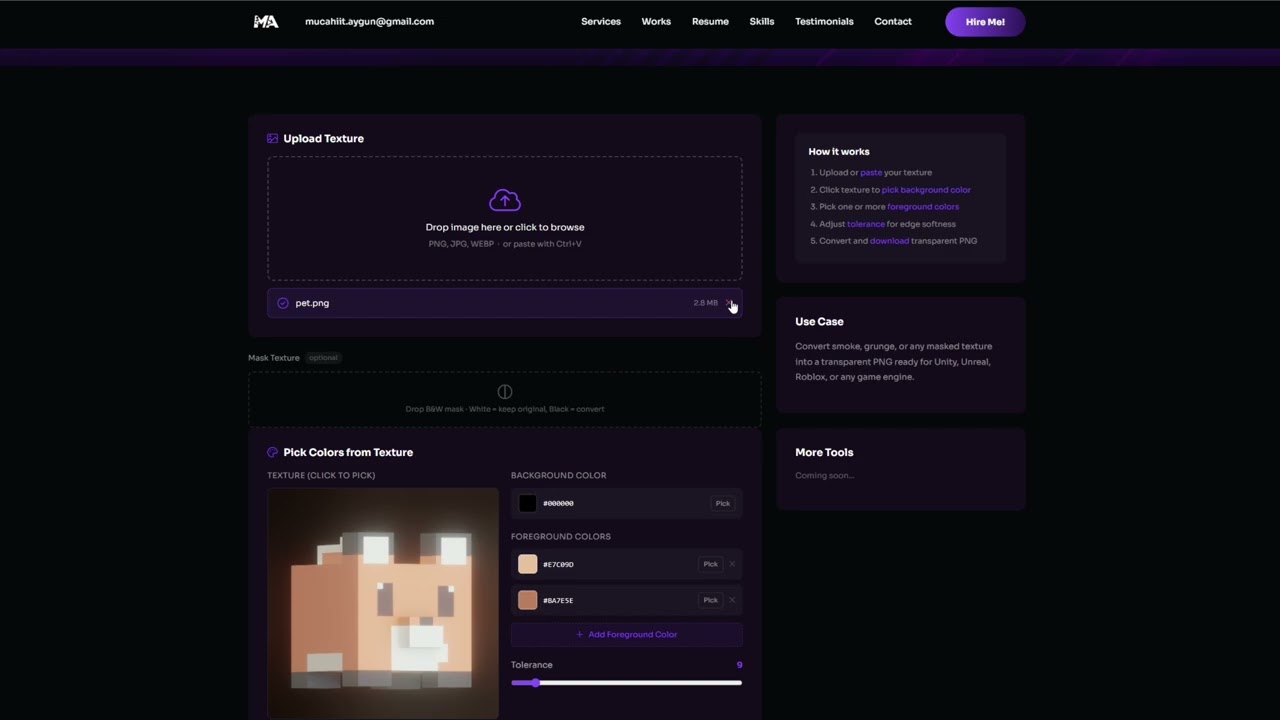
Upload Texture
Drop image here or click to browse
PNG, JPG, WEBP · or paste with Ctrl+V
Drop B&W mask · White = keep original, Black = convert
Pick Colors from Texture
Texture (click to pick)
Background Color
Foreground Colors
Preview
Upload an image
Result will appear here
How it works
- Upload or paste your texture
- Click texture to pick background color
- Pick one or more foreground colors
- Adjust tolerance for edge softness
- Convert and download transparent PNG
Use Case
Convert smoke, grunge, or any masked texture into a transparent PNG ready for Unity, Unreal, Roblox, or any game engine.
More Tools
Coming soon...
Whether you're a developer, artist, animator, or sound designer — if this tool saved you time or didn't quite do what you needed, I want to know. Drop a comment below with how you used it, what worked, and what didn't.
And if there's a repetitive task in your pipeline that you think could be turned into a tool — say it. This is free, it's growing, and the next one might be exactly what you need.Mucahit Aygun
Leave a Reply